


Somewhere in your finance team, a person is reading a PDF and typing what it says into a form. The PDF was generated by a computer. The form feeds a database. A machine wrote it, a machine will store it, and in between a human retypes it.
That gap has been obvious for thirty years. What changed is that the technology to close it finally handles the messy cases, which were always the reason it stayed open.
Why OCR was never enough
Optical character recognition solved converting an image of text into text. It has been good for decades and it did not solve this problem, because reading the characters is the easy part.
The hard part is understanding. A supplier invoice has a total, a tax amount, a due date, and a purchase order reference — but every supplier lays them out differently, labels them differently, and puts them in different places. One says "Amount Due", another "Balance Payable", a third puts the figure in a box with no label at all.
Template-based extraction handled this by configuring each layout in advance. Fine with twelve suppliers, unmanageable with four hundred, and broken the moment someone redesigns their invoice.
Modern document processing skips templates. Given an invoice it has never seen, it identifies the total because it understands what a total is in context — the same way a person who has never seen that supplier's format still finds it in seconds.
The pipeline, honestly described
Four stages, and the failure modes cluster in specific ones.
Ingestion. Documents arrive by email, upload, scanner, or shared folder. Mundane, and the source of a surprising share of problems: attachments buried in forwarded chains, twelve invoices in one PDF, images photographed at an angle.
Classification. What is this — an invoice, a delivery note, a contract, a bank statement? Getting this wrong sends the document down the wrong extraction path and the errors look inexplicable downstream.
Extraction. Pull the structured fields. This is the part that improved dramatically and the part vendors demo.
Validation and routing. Does the total match the line items? Does the PO exist? Is this a duplicate of last month's? This stage is what separates a system that saves work from one that creates a different kind of work.
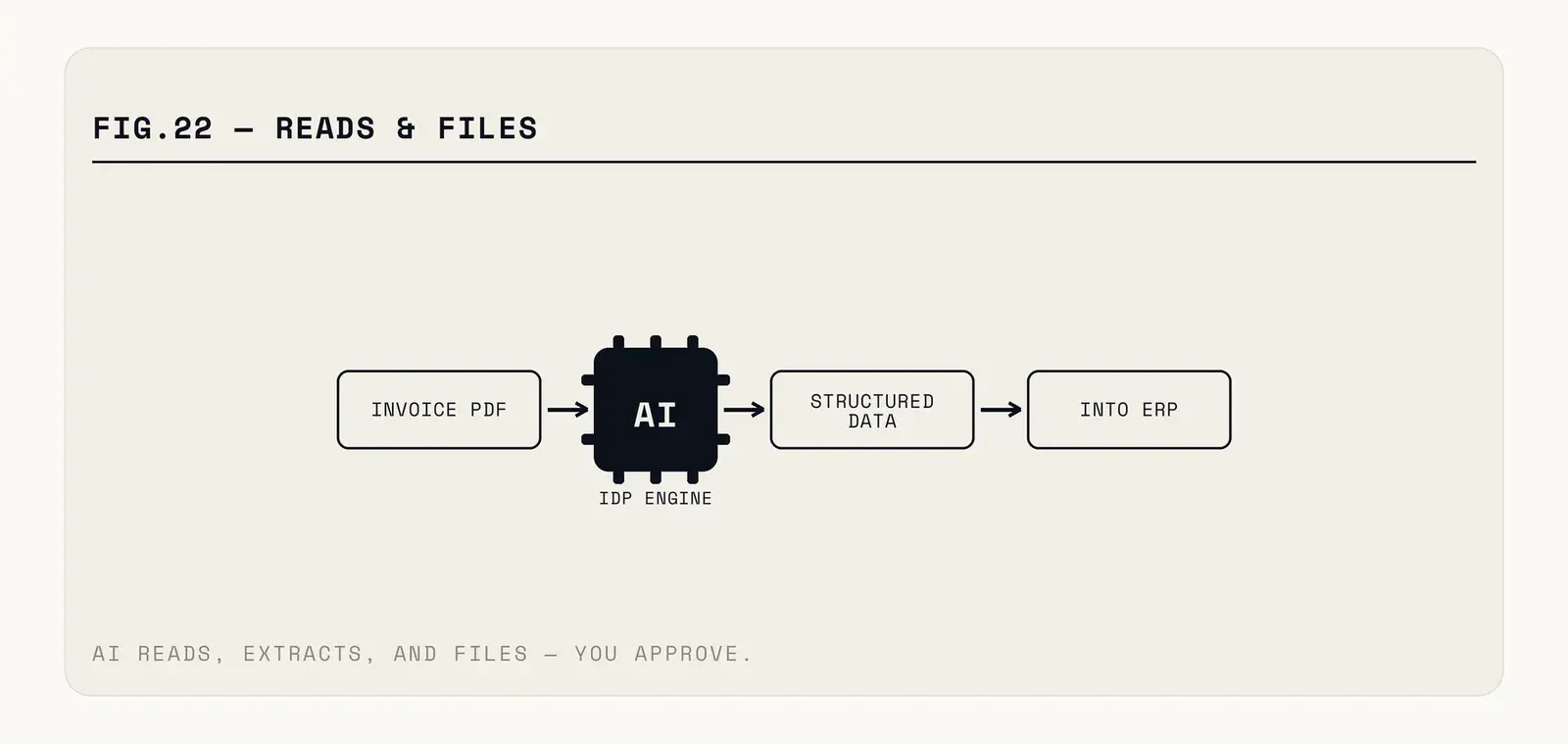
Fig. — Validation is where a system stops producing data and starts producing trustworthy data.
Where it pays fastest
Accounts payable is the standard first deployment, and for good reason. High volume, consistent document types, an obvious downstream system, and a cost per invoice most finance teams can already quote. The business case writes itself.
Expense receipts are the second, mostly because the alternative is so bad. Photographed receipts, inconsistent formats, and an employee who wants reimbursement rather than data entry.
Onboarding paperwork — identity documents, proof of address, forms — where the bottleneck is a person checking that fields match across three documents.
Contract intake is more advanced and increasingly common: extracting dates, parties, renewal terms, and obligations into something searchable, so nobody discovers an auto-renewal after it renewed.
The common thread is volume and repetition. A process handling thirty documents a month does not justify the integration work no matter how tedious it feels.
The number that decides everything
Not accuracy — straight-through processing rate. What percentage of documents complete with no human touching them.
Accuracy is misleading because it averages across fields of wildly different importance. Ninety-eight percent field accuracy sounds excellent and can still mean nearly every document has something wrong on it, which means every document gets reviewed, which means you saved nothing.
Straight-through rate maps directly to cost. If two thirds of invoices process untouched, you removed two thirds of the work, and the remaining third is where your reviewers focus.
Design for it explicitly. Extraction should return a confidence score per field, documents below threshold route to a human queue, and the threshold is a business decision — high for anything that moves money, lower where an error is caught downstream anyway.
What goes wrong
Ambiguity handled with confidence. The dangerous failure is not a blank field; it is a plausible wrong value. A date read from the wrong box is a well-formatted number that passes every format check. Validation against other data — does the PO exist, does the total match the lines — catches these where field-level confidence does not.
Multi-page and multi-document files. A single PDF containing three invoices, or an invoice whose line items run across pages. Common in practice, frequently mishandled, and worth testing with your actual worst files rather than clean samples.
Handwriting and poor scans. Better than they were, still the weak point. If a meaningful share of your input is handwritten, measure that subset separately before committing.
Compliance. Documents contain personal and financial data, so where they are processed and how long they are retained are real questions. If processing happens outside your jurisdiction, that needs answering before rollout rather than during an audit.
The people question, handled badly and well
A document processing project removes work that people currently do, and pretending otherwise damages the rollout more than any technical problem.
The teams that handle this well are specific about what changes. Data entry shrinks; exception handling grows. The person who used to key four hundred invoices now reviews the sixty the system was unsure about, chases the genuinely problematic ones, and has time for the supplier queries that previously never got answered. That is a better job and it is worth saying out loud.
The teams that handle it badly announce an efficiency programme, offer no clarity, and then wonder why the pilot's exception rate is mysteriously high. People who suspect a system is there to replace them are not motivated to help it succeed, and they are the ones who know which documents break it.
There is also a genuine knowledge risk. The person who has processed invoices for nine years knows that one supplier always sends the tax figure in the wrong column. That knowledge is not in any system, and if they leave before it is captured, your straight-through rate quietly falls and nobody knows why. Interview them while designing the validation rules — it is the cheapest quality improvement available.
How to start without a large programme
Take one document type, one source, and one destination system. Invoices arriving at one mailbox, going into one ledger.
Measure the current cost first — documents per month, minutes each, error rate, and what a missed early-payment discount costs. Without that baseline you cannot demonstrate improvement, and undemonstrated improvements get cut.
Be realistic about the integration end, too. Extracting the data is only half a working system — it has to land in your ledger, matched to the right supplier record, with the right cost centre. That last mile is ordinary integration work, it is where most of the schedule goes, and it is invisible in every vendor demo because the demo ends at a screen showing extracted fields.
Run the system alongside the humans for a few weeks rather than replacing them. Compare outputs. The disagreements are the useful data: some are system errors, and a surprising number reveal that your people had been quietly handling a case nobody documented.
Then raise autonomy gradually, by document type and by supplier, keeping the confidence threshold conservative until the straight-through rate is boring.
One habit worth building in from the start: keep the original document linked to every extracted record. When a figure is queried six months later — and it will be — the ability to open the source in one click turns a forensic exercise into a five-second check. Systems that store only the extracted values save the same work and lose the ability to defend it, which is a poor trade in anything an auditor might look at.
Source-linked extraction — the five-second check instead of the forensic exercise — is how we build IDP systems. If your documents still route through inboxes, show us one week's worth.