


Here is the uncomfortable premise every mobile security decision should start from: your app is running on a device you do not control, in the hands of someone who may be the attacker.
Web developers get to assume the server is theirs. Mobile developers ship the client to the adversary, along with a debugger.
The assumption that causes most breaches
The single most expensive mistake in mobile development is treating the app as a trusted part of your system.
It is not. An attacker can decompile it, read every string, watch every network call, modify the binary, and run it on a rooted device with instrumentation attached. None of this requires sophistication — the tooling is mature, documented, and free.
Which means every security control implemented only in the app is advisory. The premium check that unlocks a feature client-side is a check an attacker removes. The validation that stops a negative quantity is bypassed by editing the request. The rate limit enforced in your code is not a rate limit.
Anything that actually matters is enforced on your server. Client-side controls exist to guide honest users and raise cost for dishonest ones. They do not enforce.
What attackers actually go after
Skip the theoretical vulnerability lists and look at what turns up in real incidents.
Secrets in the binary. API keys, tokens, and credentials compiled into the app, sometimes obfuscated, always extractable. Automated scanners crawl app stores looking for exactly this, and researchers find valid production keys constantly. Obfuscation delays a determined person by minutes.
Insecure local storage. Session tokens in shared preferences, PII in an unencrypted SQLite file, sensitive data in logs that any installed app with the right permission can read. Convenient during development, permanent in production.
Weak API authorisation. This is the big one, and it is not really a mobile vulnerability — it is a backend one that mobile makes easy to find. An endpoint that returns any user's record when given their ID is trivially discovered by watching your own traffic and changing a number. The app never showed you that data; the API happily did.
Trusting client-supplied values. Prices, user IDs, roles, and quantities sent from the app and used without server-side verification. If your checkout accepts a price from the client, someone will send a better one.
Third-party SDKs. Analytics, ads, crash reporting, attribution — each with network access and often broad permissions, each a supply-chain dependency you did not write and cannot audit. Several notable mobile data incidents were an SDK doing something its host app never intended.
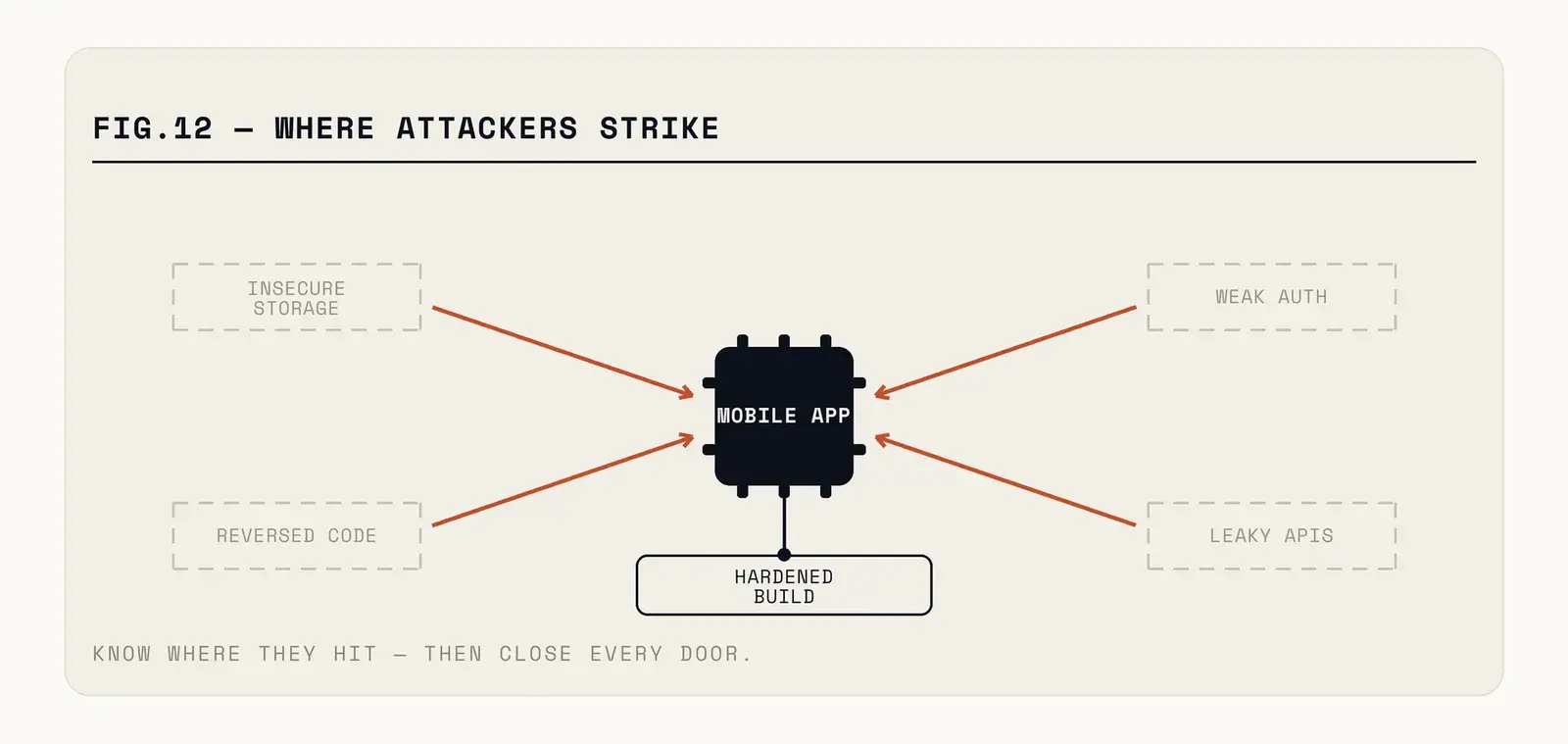
Fig. — Everything on the left of that boundary is inspectable. Only the server enforces.
The checklist that actually helps
Ship no secrets. If the app needs to call a third-party API with a key, proxy it through your backend so the key stays server-side. Where a key genuinely must ship, treat it as public and restrict it by bundle identifier, referrer, and scope so possession alone is worthless.
Use the platform keystore. Both platforms provide hardware-backed secure storage. Tokens and credentials go there, not in preferences, not in a file you encrypted yourself with a key that is also in the app.
Authorise every request server-side, on identity from the session. Not from a parameter the client supplied. This one control eliminates the largest category of real-world mobile data exposure.
Pin certificates for high-value traffic, carefully. Pinning defeats casual interception. It also breaks your app in the field when a certificate rotates unexpectedly, so implement it with a backup pin and a remote kill switch, or not at all.
Inventory your SDKs and justify each one. For every third party in your build, know what data it receives and why it is there. Remove the ones nobody can explain — there are usually two or three.
Detect tampering without depending on it. Root and jailbreak detection, integrity checks, and debugger detection all raise cost meaningfully against opportunistic attackers. All are bypassable by a determined one. Use them as signals to your backend, not as gates in the app.
Log security events to the server. Failed authorisations, unusual sequences, impossible requests. Attacks against mobile apps are visible in API traffic long before they are visible anywhere else, and most teams are not looking.
Where the threat model differs by app
Generic checklists are useful up to a point, and then you have to think about who would actually bother attacking you and why.
If your app handles money, the attacker is after transactions and the effort budget is high. Expect people to build tooling specifically against you, and assume every client-side control will be defeated. The controls that matter are server-side transaction limits, anomaly detection on the backend, and step-up authentication for anything irreversible.
If your app holds personal data but no money, the more likely attack is bulk extraction through the API rather than compromise of a single account. That changes the priority: rate limiting per identity, pagination limits, and alerting on unusual read volume matter more than binary hardening.
If your app is a paid product or contains paid features, the threat is your own users bypassing payment. This is the one case where client-side hardening genuinely pays, because the attacker is not sophisticated and the goal is just to make it more effort than the subscription costs. Perfect protection is impossible and also unnecessary.
And if your app is an enterprise tool distributed internally, the interesting risk is a lost or compromised device rather than a remote attacker. That pushes you toward short session lifetimes, remote wipe, and not caching sensitive data locally at all.
Working out which of these you are takes an hour and changes what you should spend the next quarter on.
The regulatory layer that changed
Security used to be self-graded. Increasingly it is not.
Both app stores now require declarations about what data you collect and share, and those declarations are checked against actual behaviour. A mismatch is an app review rejection, or a removal.
Data protection law adds the harder requirement. Under GDPR and India's DPDP Act, collecting data you do not need is itself a violation regardless of how well you protect it, and a breach carries notification obligations on tight timelines. The practical consequence is that data minimisation is now a security control: the fastest way to reduce breach exposure is to stop collecting things.
And payments carry their own regime. If your app touches card data in any form, PCI DSS applies, and the correct answer is almost always to not touch it — use a payment SDK that tokenises before the data reaches your code.
The build pipeline is part of the attack surface
One category gets overlooked entirely because it does not live in the app: how the app gets built and signed.
Signing keys are the crown jewels. Whoever holds them can publish an update that your users will install automatically, trusting it because it came from you. Those keys belong in a hardware-backed store or a managed signing service, not on a laptop and definitely not in the repository. Both platforms now offer managed signing, and using it removes an entire class of catastrophic risk.
Build systems deserve the same scrutiny as production. A CI pipeline with broad credentials, running scripts from dependencies it downloads at build time, is a supply-chain compromise waiting to happen — and it has happened to well-run companies. Pin your dependency versions, review what your build scripts execute, and scope the CI credentials narrowly.
And know what goes into your binary. A dependency manifest you can actually produce on request is increasingly expected by enterprise customers and, in some sectors, by regulators.
Where to start if you have inherited an app
Run a mobile security scanner against your own binary first. It takes an afternoon, it is free, and it will find the hardcoded secrets and the unencrypted storage. Fix those before anything else, because they are the ones scanners find on your behalf if you do not.
Then spend a day intercepting your own traffic with a proxy. Try changing an ID in a request to fetch another account. Try sending a different price. Try calling an endpoint the app never calls from a screen you have not unlocked. The results are usually sobering and always more useful than a checklist.
Annual penetration testing is worth it once those basics hold — but paying an expert to find a hardcoded API key is an expensive way to learn something a free scanner would have told you.
The apps that get breached are rarely the ones with a subtle cryptographic flaw. They are the ones where nobody ever tried changing the user ID in a request to see what came back.
Baking this in from the first sprint is how we build — and if you inherited an app nobody ever probed, we'll look before someone else does.