




FeelEat’s team runs its ERP from one admin portal.
We built the admin side of FeelEat’s ERP. FeelEat’s own team runs it and tracks prospects and leads in it, and AI features are added to it as part of everyday feature work.
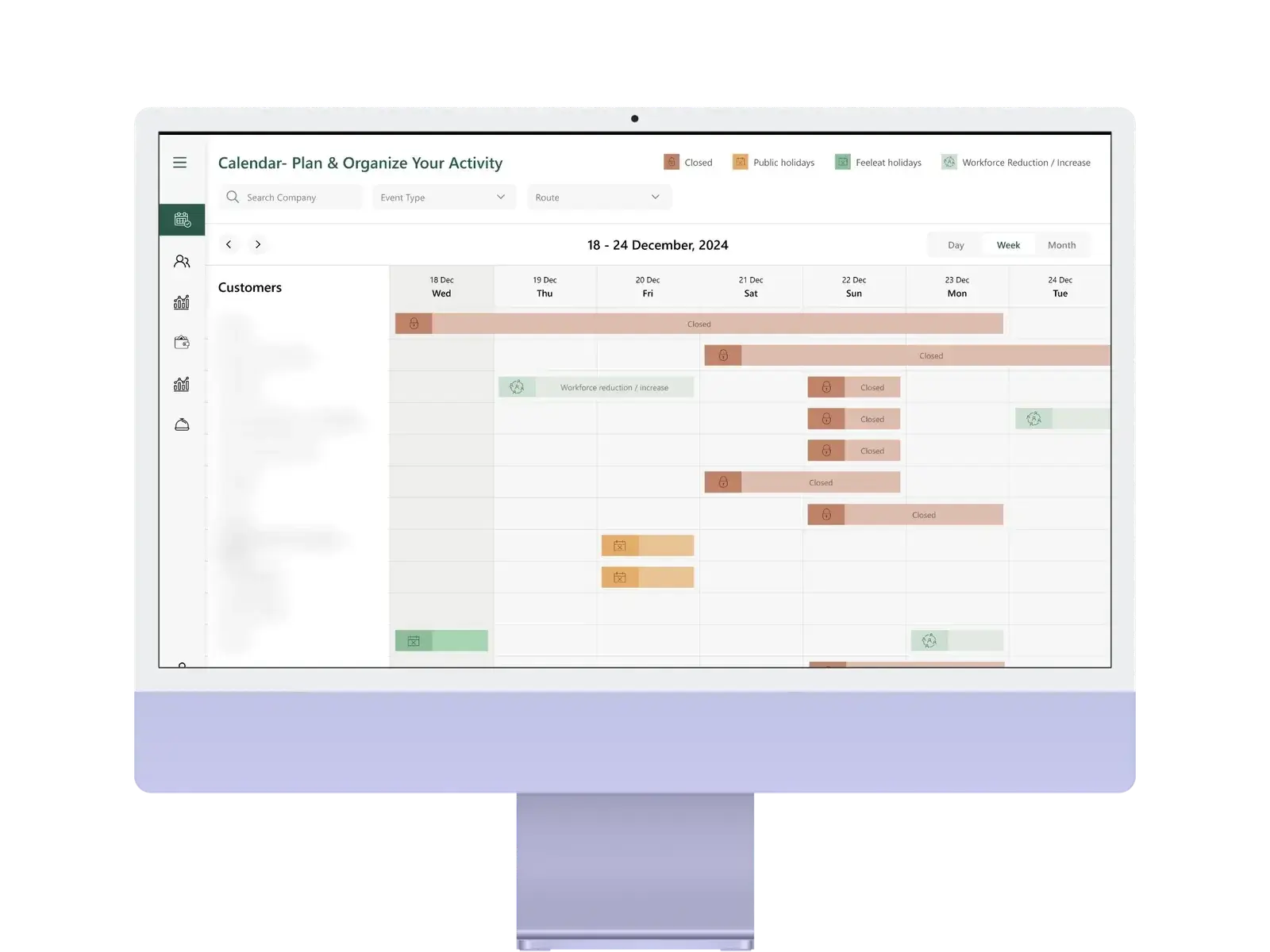
The back office of FeelEat’s ERP.
FeelEat runs a kitchen, a network of smart fridges and a base of corporate clients. Its own team needs one place to manage all of it.
The admin portal is the admin side of FeelEat’s ERP. FeelEat’s own team runs it and tracks prospects and leads in it, in the module that serves as FeelEat’s CRM. AI features are added to the ERP as part of everyday feature work.
Many parts, one team.
The admin work of the ERP and the follow-up on new leads sit with the same team.
What FeelEat’s team needed.
The jobs the admin portal was built for.
- ERP admin: a home for the admin side of FeelEat’s ERP.
- New features: AI features to add over time.
- New business: prospects and leads to follow up.
One admin portal for the team.
We built the admin side of FeelEat’s ERP around those jobs.
- ERP admin: run by FeelEat’s own team.
- Part of the ERP: the portal is the ERP’s admin side, not a separate tool.
- AI features: added as part of everyday feature work.
- Prospects and leads: a module that serves as FeelEat’s CRM.
The admin side of FeelEat’s ERP.
What the portal holds.
ERP admin
The admin side of FeelEat’s ERP.
Run by FeelEat
FeelEat’s own team runs it.
Prospects
Prospects tracked in the prospect-and-lead module.
Leads
Leads followed up in the same module.
FeelEat’s CRM
The prospect-and-lead module serves as FeelEat’s CRM.
AI features
Added to the ERP as part of everyday feature work.
Built around the team’s work.
Each part matches a job FeelEat’s team does.
Mapping the work
Mapped the admin work and the lead follow-up FeelEat’s team does.
Designing the screens
Screens laid out around those jobs.
Building on the ERP
The portal, built as the admin side of FeelEat’s ERP.
Ongoing work
New features, AI features among them, added as part of everyday work.
Bring your version of the ERP Portal problem. Four hours, free, with the team that shipped this one.
Book the free workshopWhat kept us up at night.
What took the most thought.
ERP admin and leads together
The admin side of the ERP and the prospect-and-lead module live in one portal, not in separate tools.
Room to grow
The portal keeps gaining features, AI features among them, as part of everyday work.
Tech stack.
The portal runs on Node.js and NestJS, backed by MySQL and Redis.


Numbers the owners watch.
What the portal covers.
Run by FeelEat’s own team.
Tracked in a module inside the portal.
AI features go into the ERP as part of everyday feature work.
Want numbers like these? Here is what happens after you write.
As a designer I care about what happens after the handover. CODT Technologies built our screens the way we drew them, flagged early when something wouldn't work on a real device, and kept the same look across the fridge, the kiosk and the apps.
Keep exploring.
Every project here is live, paid for, and earning revenue for its owners.
Frequently asked questions
Put it in a brief. A senior engineer reads it and replies within one business day.
What does the FeelEat admin portal do?
It is the admin side of FeelEat’s ERP, built by CODT Technologies. FeelEat’s own team runs it, and it holds the prospect-and-lead module FeelEat uses as its CRM.
Does the admin portal include a CRM?
Yes. FeelEat’s prospects and leads are managed in a module inside the admin portal.
Why a custom portal instead of off-the-shelf software?
No single product fitted the admin side of FeelEat’s ERP together with its lead tracking. A custom portal could follow the way the team already worked.
Have a problem worth
solving well?
Tell us about your product, your timeline and your constraints. We reply within one business day with an honest read on fit, scope and the right team.