




A median kiosk order takes 42 seconds.
A self-service tablet for FeelEat’s smart fridges in workplaces and shared spaces. You scan a badge or QR code, browse fresh chef-prepared meals and pay on the spot.
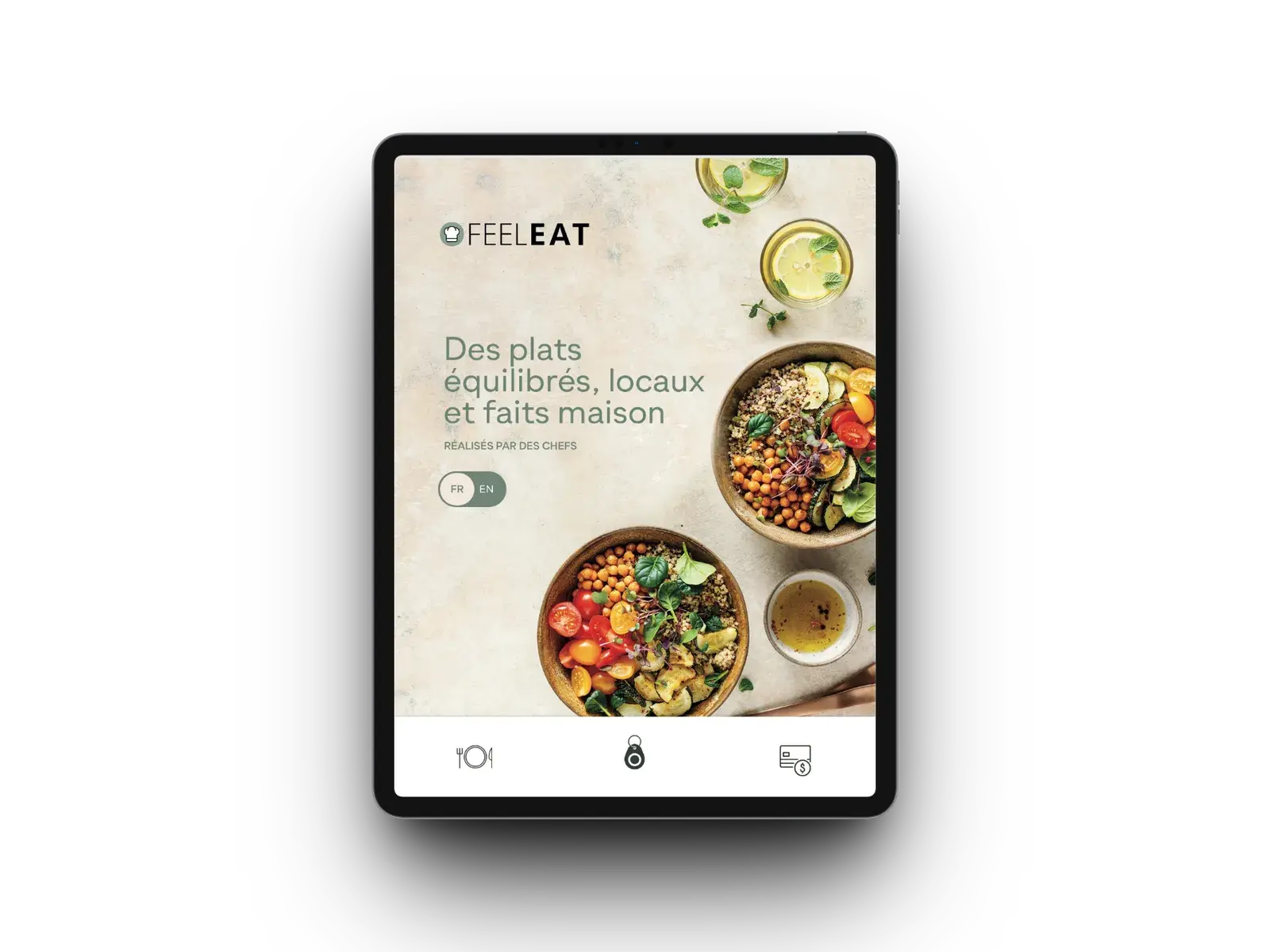
Customers serve themselves, with no staff nearby.
At lunchtime nobody stops to read instructions. The kiosk had to work for someone using it for the first time, and it had to cope with being a public touchscreen, switched on all day.
We designed for people in a hurry. A badge or QR scan replaces any login, and the menu can be read from a step back. A badge tap signs the customer in and opens the fridge; they take their dishes, scan them, confirm, and pay from the same wallet as the app.
In daily use, the median order takes 42 seconds, uptime is 99.7% and 99.4% of payments go through.
The kiosk has to keep a lunch queue moving.
A slow order holds up everyone behind it.
Many users are seeing the screen for the first time.
They have to get through an order on the first try, without instructions.
- No staff to help: if someone gets confused, they walk away without buying.
- Little patience: every extra screen makes the queue longer.
- Wear and tear: the tablet is tapped all day, and the network sometimes drops.
- Payment under pressure: a failed charge with people watching puts users off quickly.
We cut the order down to a few taps.
Each step was kept as short as possible.
- Badge & QR identification: a known, payable user in one scan.
- Menu at arm’s length: big photos and text, with allergens marked on each meal.
- Short checkout: as few taps as possible between choosing and paying.
- Automatic recovery: after most problems the tablet restarts the app by itself.
One badge tap opens the fridge.
Some parts run on the tablet, and the rest run on the server and are managed remotely.
Sign-in by badge or QR code
Tap a badge or scan a code, and the user and payment method are known straight away.
Arm’s-length menu
Chef-prepared meals with photos, allergens and prices, large enough to read from the queue.
Checkout
After choosing a meal, one confirmation completes the payment.
Locked tablets
Each tablet runs only the kiosk app, so users can’t open anything else.
Scan and confirm
Customers take their dishes from the open fridge, scan each one and confirm; the total comes off the same wallet as the app.
Remote management
Each tablet can be checked and updated without a site visit.
Real lunch queues were timed before any screen was designed.
The timings showed where first-time users got stuck.
Conceptualisation
Watched people buy lunch and noted every step that slowed them down.
Design
Large buttons and short labels, with allergen flags visible before anyone taps.
Development
The Android kiosk app, with badge sign-in, the fridge unlock and payment from the app’s wallet.
Deployment
Tablets set up in locked kiosk mode and monitored remotely.
Bring your version of the Smart Kiosk App problem. Four hours, free, with the team that shipped this one.
Book the free workshopWhat kept us up at night.
Problems that come with a public screen.
Self-repair after a crash
Public tablets crash, lose the network and get switched off by cleaners. A background check restarts the app whenever it stops, and kiosk mode keeps the tablet locked to that one app.
Retrying failed payments
Retries and fallbacks run in the background, so the person paying doesn’t see them. 99.4% of payments succeed, even at the busiest time of day.
The same account as the app
A tap of the NFC badge signs the customer in and the fridge opens by itself. What they scan comes off the same prepaid balance as in the app.
Tech stack.
An Android app in kiosk mode, on the same Node.js, NestJS, MySQL and Redis backend as the fridges.


Numbers the owners watch.
How the kiosk performs day to day.
Half of all orders are finished faster than this.
Per kiosk, with no staff on site.
Background retries mean the person paying rarely sees a failed charge.
Want numbers like these? Here is what happens after you write.
Keep exploring.
Every project here is live, paid for, and earning revenue for its owners.
Frequently asked questions
Put it in a brief. A senior engineer reads it and replies within one business day.
What is the FeelEat kiosk?
It is a self-service tablet that stands next to FeelEat’s smart fridges. People use it to buy a meal when no staff are around. CODT Technologies built it as one of the FeelEat products.
How fast is ordering at the kiosk?
The median order takes 42 seconds.
How reliable is the kiosk in daily operation?
It runs without staff at 99.7% uptime, and 99.4% of payments go through. It uses the same account and prepaid balance as the app.
Have a problem worth
solving well?
Tell us about your product, your timeline and your constraints. We reply within one business day with an honest read on fit, scope and the right team.