




08:02
Good morning, HenryIN
Works without internet.
TapTime records a clock-in on the device even without an internet connection. Nothing is lost when the kitchen's Wi-Fi drops.
Services
Explore allIndustries
Explore allPortfolio
Explore allA clock-in kiosk for FeelEat’s hourly staff across several sites. Staff tap an NFC badge on the reader of a wall-mounted kiosk and choose IN or OUT. It keeps working offline and syncs when the connection returns, and a forgotten clock-out goes to the manager for approval.
Each row shows the real screens in the order a person meets them: clocking in with an NFC badge, fixing a missed clock-out, and giving a new colleague a badge.
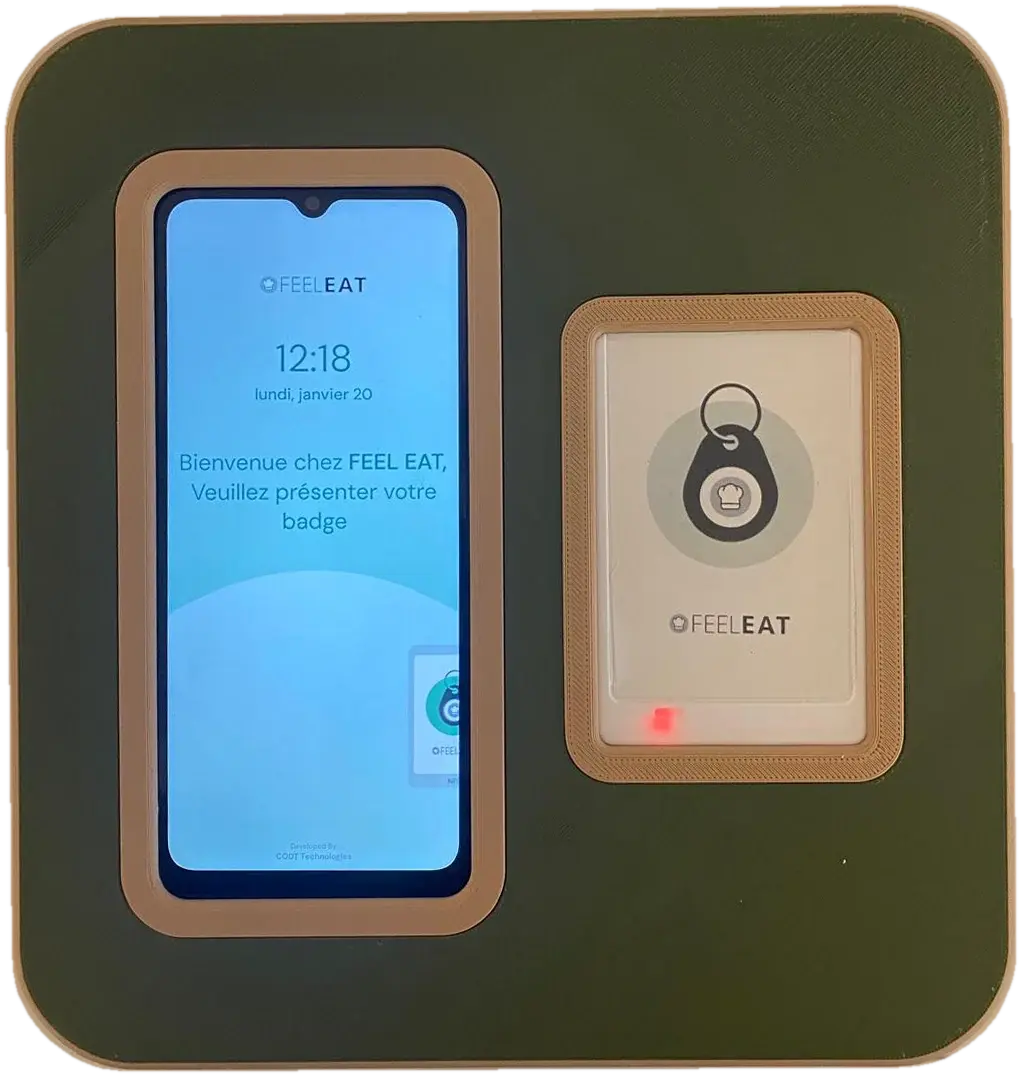
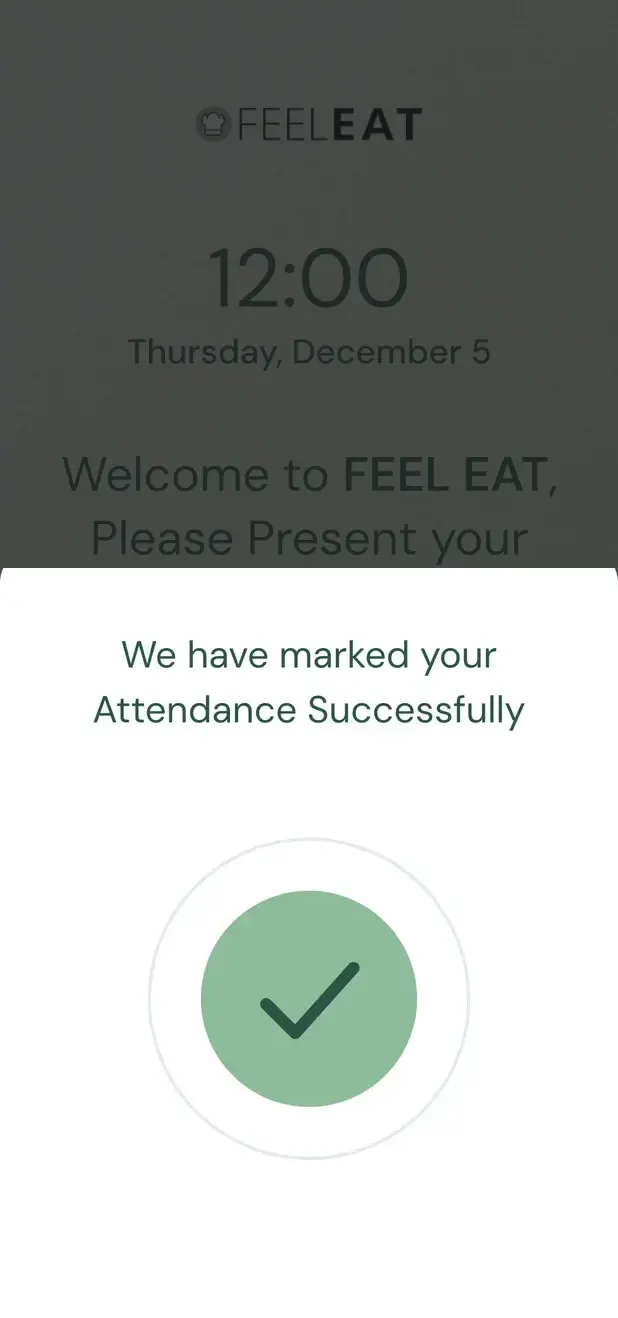
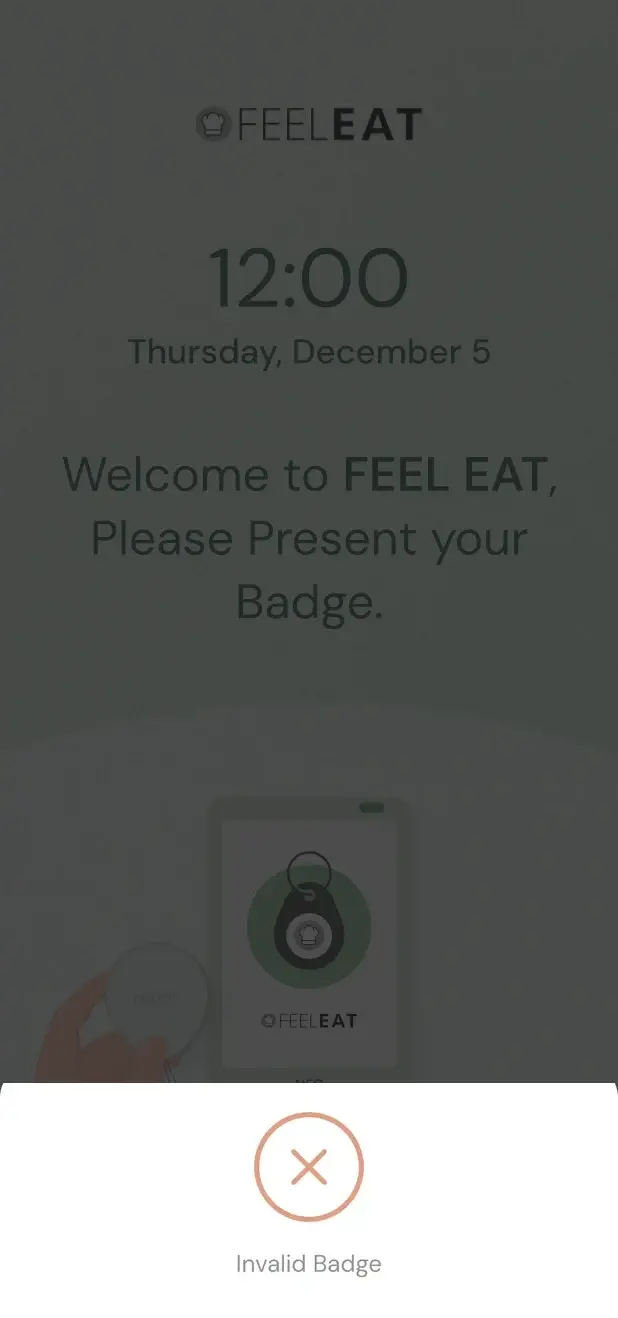
An employee holds an NFC badge to the kiosk's reader. The kiosk checks the badge, asks IN or OUT, and records the time on the device.
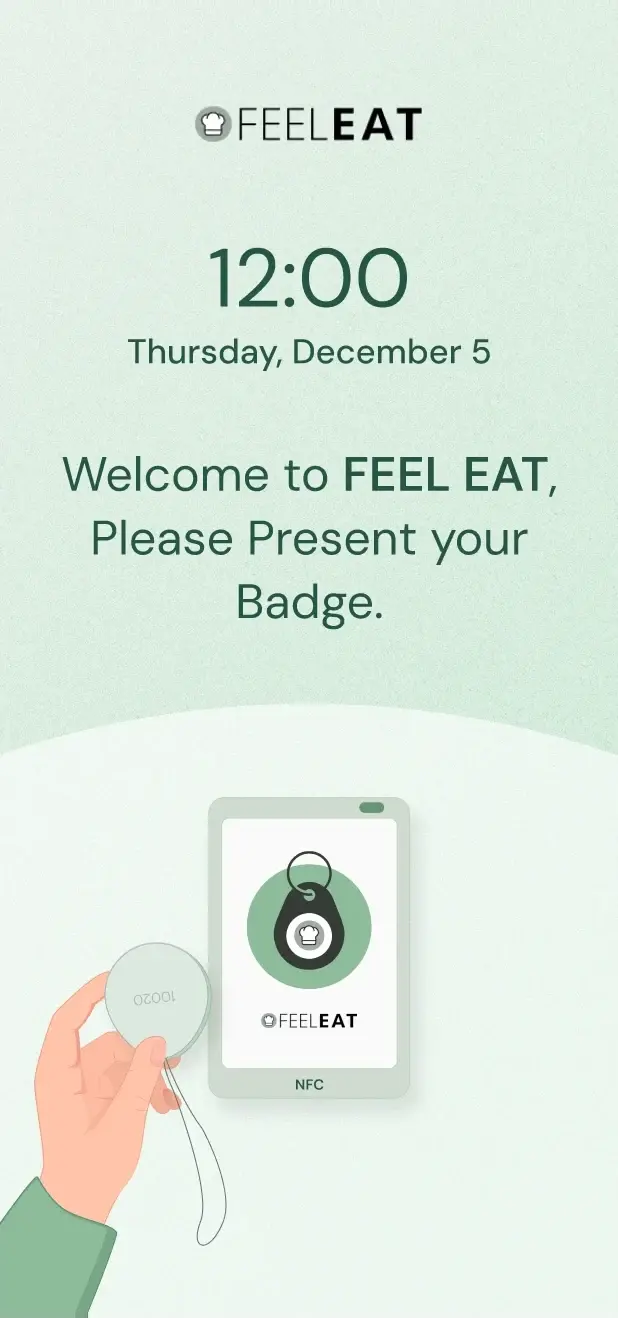
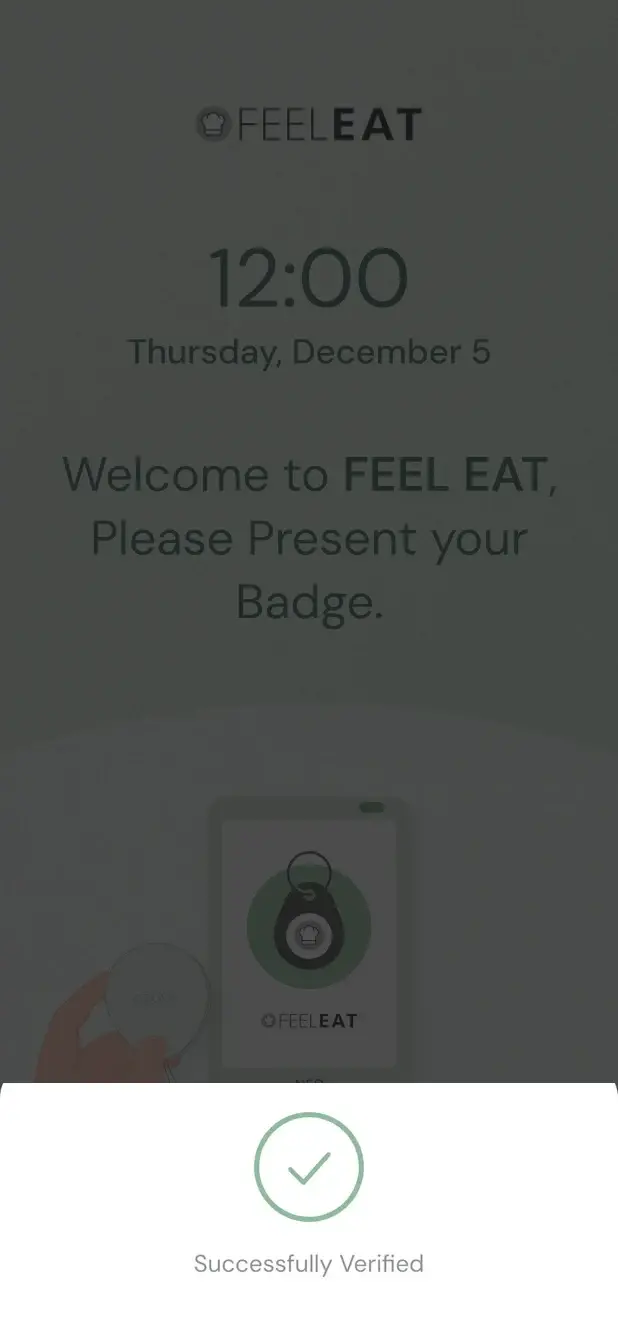
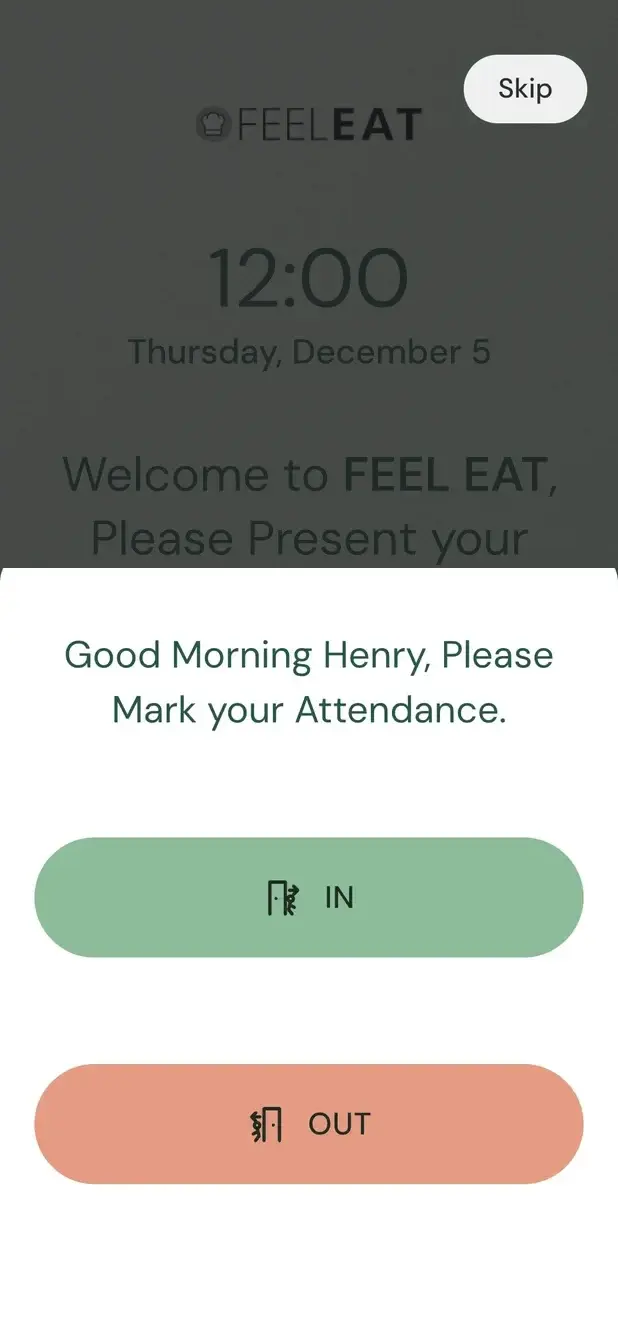
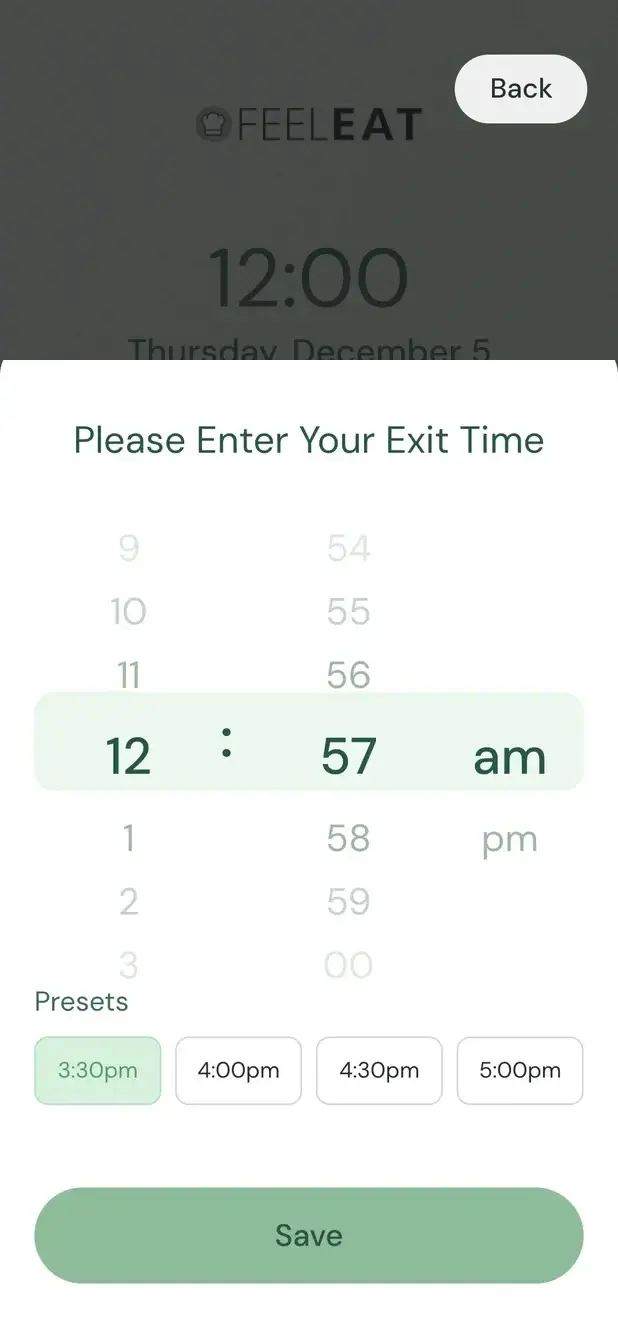
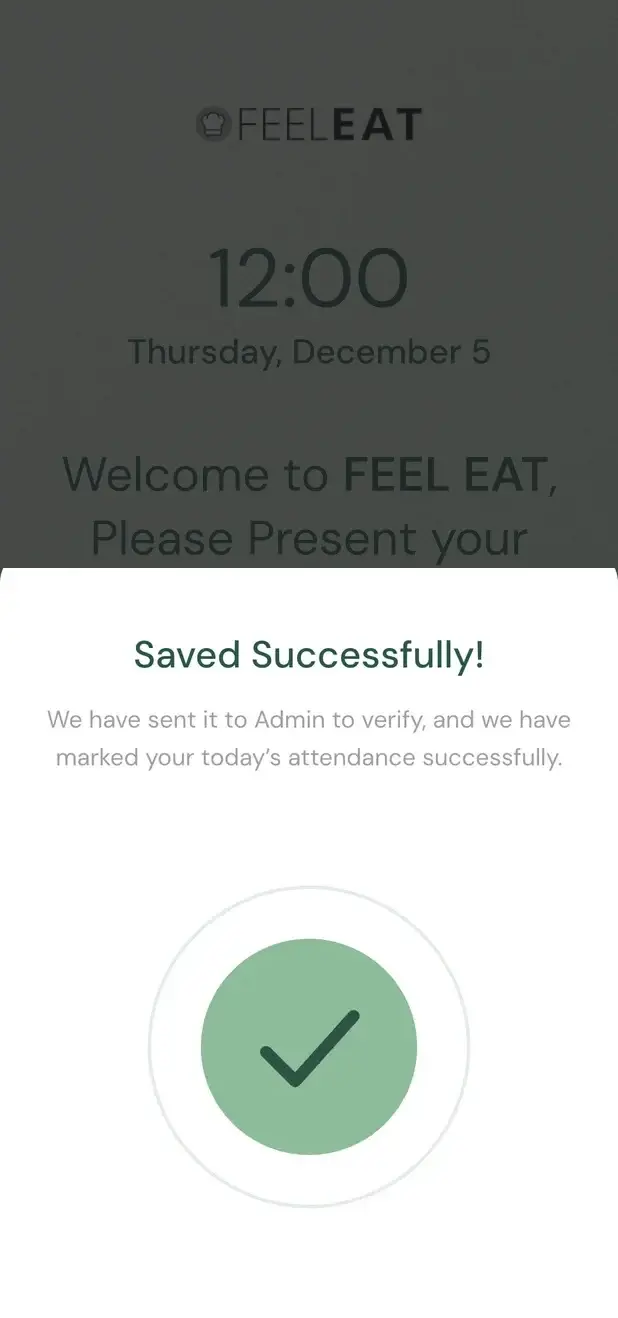
If someone left without tapping OUT, the kiosk notices at the next badge tap. It asks for the exit time, saves it and sends it to the admin. A manager approves the time before any hours change.
A manager approves
A manager checks the time and approves it. Nobody's hours change without a person saying yes.
A new colleague gets a badge at the kiosk itself. The admin picks the person in the user list and holds the new badge to the reader. From then on, that badge is tied to that person.
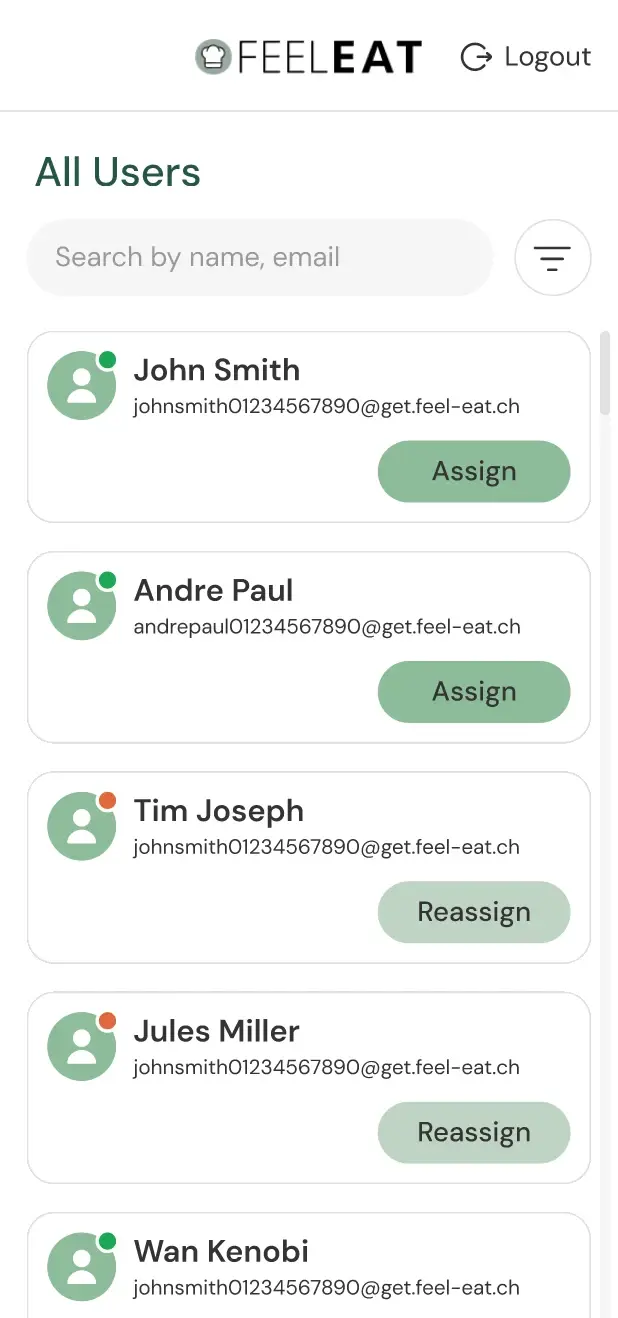
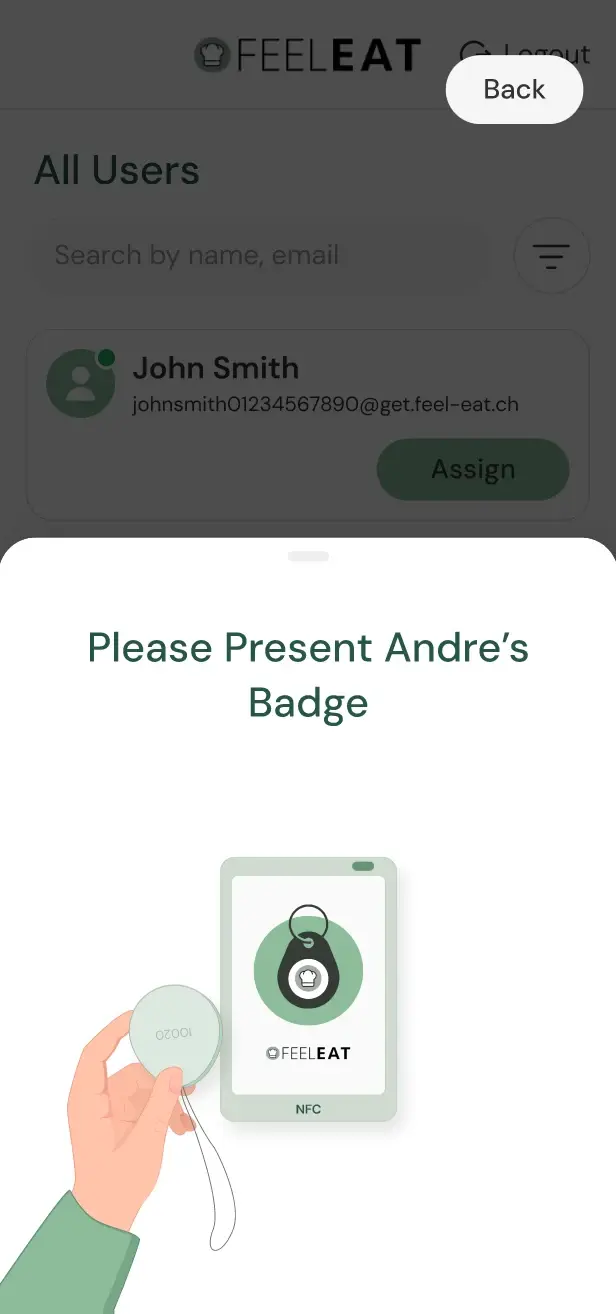
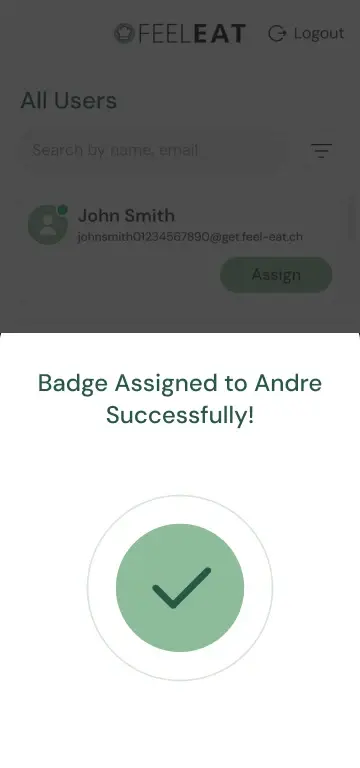
The screens are the app's design frames, shown whole. The names and times on them are sample data.
Three things the kiosk does that paper and most clock-in apps do not.
TapTime records a clock-in on the device even without an internet connection. Nothing is lost when the kitchen's Wi-Fi drops.
When the internet returns, TapTime sends the waiting records to FeelEat's ERP by itself. Nobody has to re-enter or re-send anything.
With several sites, a person can clock IN at one kiosk and OUT at another. The record follows the person, not the kiosk, so the day's hours stay in one place.
FeelEat wanted a clock-in record nobody could dispute, at every one of its sites. Paper sheets and memory could not give that: a time written by hand can’t be checked afterwards.
With TapTime, staff tap a badge at a kiosk on the wall, and each clock-in goes to the ERP that runs payroll. If the internet drops, the kiosk stores the clock-ins and syncs them later, and a forgotten clock-out goes to the manager for approval.
Hours now reach payroll without anyone typing them in again, and every correction carries the name of the manager who approved it.
If a worker disputed their pay, there was only a paper sheet or someone’s memory to go on.
Each site relied on paper sheets and memory, and neither could be checked afterwards.
The hours reach the ERP that runs payroll.
Each part below closes a gap that paper left open.
A wall-mounted kiosk, an Android phone in a 3D-printed case, next to an NFC reader that reads each staff badge.
After the badge is read, the kiosk greets the person by name and asks IN or OUT.
The next morning the app asks for the missing exit time and sends it to the manager for approval.
Every clock-in is stored with its time, and changes go through a manager.
Hours go to the ERP that runs payroll, with no retyping. When the internet drops, the kiosk syncs later.
Admins assign each badge to an employee and can reassign it at the kiosk.
For every trick on that list, the app needed a check that adds almost no time.
Chose the kiosk hardware: an Android phone in a 3D-printed case and an NFC badge reader.
A clock-in screen with as few steps as possible.
The kiosk app, with offline storage and sync to the ERP.
Went live across FeelEat’s sites, feeding the ERP that already ran payroll.
Bring your version of the FeelEat TapTime problem. Four hours, free, with the team that shipped this one.
Book the free workshopIt had to be quicker than paper for staff and easy for HR to check.
A slow check-in pushes people to work around it. The badge tap is quick, so staff have no reason to skip it.
A site can lose its internet connection. The kiosk keeps recording clock-ins and syncs them when the connection returns. A person can also clock in at one site and out at another.
Every clock-in is stored with its time, and a forgotten clock-out needs a manager’s approval. When someone questions their hours, HR looks it up.
The kiosk runs an Android app. The server is NestJS on Node.js, with PostgreSQL as the database and Redis alongside.


What TapTime does since it replaced paper timesheets.
| What it does | In short |
|---|---|
| NFC badge tap at a wall kioskEach badge belongs to one person, so the clock-in shows who was on site. | Badge |
| Clock-ins stored and synced when the connection returnsNothing is lost when a site’s internet drops. | Offline |
| Forgotten clock-outs go to the managerNo hours change without a person saying yes. | Approval |
Hours are recorded where the work happens, and a manager signs off every correction, so payroll runs on figures nobody has to argue about.
Want numbers like these? Here is what happens after you write.
Every project here is live, paid for, and earning revenue for its owners.
Put it in a brief. A senior engineer reads it and replies within one business day.
TapTime is a clock-in app that CODT Technologies built for FeelEat, a Swiss food company with kitchens and sites in several places. It is for hourly staff who need to record attendance in seconds, and for the managers and HR team who need those hours to be right for payroll.
Clocking in works with an NFC badge. The employee holds the badge to the reader on the kiosk, the kiosk verifies it and asks IN or OUT, and the time is recorded. Each badge is tied to one person, and each record keeps the time, the site and the method used.
Yes, TapTime works without internet. A clock-in is recorded on the kiosk device itself, so a badge tap counts even when the kitchen's connection is down. When the internet is back, the waiting records are sent to FeelEat's ERP automatically, without anyone re-entering them.
Yes. With several sites, a person can clock IN at the kiosk of one site and OUT at the kiosk of another. The record follows the person, not the kiosk, so the day's hours are kept together as one record for payroll, whichever kiosks were used.
When someone forgets to clock out, the kiosk notices at the next badge tap and asks for the exit time. The employee picks a preset or sets the time, the kiosk saves it and sends it to the admin, and a manager approves it before the hours change.
A new badge is assigned at the kiosk by an admin. The admin opens the user list, picks the person and holds the new badge to the reader. The badge is tied to that person at once, and they can clock in with it from their next shift.
The TapTime kiosk hardware is a phone running the TapTime app and an NFC badge reader, mounted side by side in a 3D-printed case on the wall at each FeelEat site. Staff carry a small NFC badge on their keys; no extra terminal or PC is needed.
The hours reach payroll through FeelEat's ERP. Each verified clock-in is sent to the ERP that runs payroll, and a correction only arrives once a manager has approved it. Nobody types the hours in again.
Managers see who clocked in and out at each site, HR sees the full history, and each employee can check their own attendance history. Every clock-in keeps its time and site, and every correction is kept in the history with the manager who approved it.
TapTime prevents buddy-punching by tying each badge to one person and checking each clock-in where it happens, at the kiosk on site. Clocking in for a colleague is very hard.
Yes. CODT Technologies builds attendance and clock-in apps to order: NFC badge kiosks, offline recording with automatic sync, several sites, manager approval, and the link to the payroll or ERP system a company already runs. Each build starts from how attendance is recorded at that company today, as it did at FeelEat.
Tell us about your product, your timeline and your constraints. We reply within one business day with an honest read on fit, scope and the right team.
We use cookies for essential site features and, with your consent, for analytics that help us improve. Read our Privacy Policy and Cookie Policy to learn more.